Groundwork keeps one model of the building and draws every sheet from it. Change the plan and the elevations, the sections, the schedules, the estimate and the spec book change with it. Here is the whole path, from the first conversation to the sealed set.
A fourteen-minute walkthrough of the program on a real project. The short videos on each part follow this week.
Name it, pick the building type (commercial, metal building, multifamily, residential), the floors, the sheet size, the jurisdiction. The county's code editions, design criteria and permit procedures come in from the jurisdiction profile.
Draw the outline corner to corner. Or type the length and width and let the generator lay out the rooms. Or talk to the Drafter: "a 120 by 180 shop with an office front, two roll-up doors on the north wall."
Every sheet is drawn the moment the building exists: plans, elevations, sections, details, schedules, the foundation, the framing, the mechanical, electrical and plumbing, fire protection, the civil set. Open any sheet and change the plan under it.
The estimate reads the drawings line by line, by CSI division, with your price book. The Project Manual writes every section the set needs. The bid form, the budget summary and the subcontractor packages come from the same numbers.
Occupancy and egress, the ADA, the energy code, the fire code, the local amendments. Findings print on the code review sheet and on the drawings, where the reviewer looks.
The owner and the bank get a real drawing while they are still excited. The crane company gets the crane plan. The subs get their packages. The county gets the preliminary set for a pre-application meeting.
Your architect or engineer reviews the set, revises what the law and their judgment require, and seals it. Groundwork did the groundwork; the professional owns the permit set.
The anchor bolt plan, the panel takeoff, the stud cut list, the bracing plan, the pick list. One set carries the whole job.
A commercial set runs 90 to 120 sheets. The sheet list follows the building: no stair sheet without a stair, no crane sheet without a crane.
| Discipline | Sheets |
|---|---|
| General | Cover and index, code review, life safety, ADA, general notes, the jurisdiction's design criteria, the project notes and photographs, the renderings |
| Civil | Site plan, site details, grading, erosion and sediment control, storm drainage with the calculations, stormwater management, utility plan with every run sized, fire access, utility profiles, paving and curb, landscape, VDOT entrance |
| Architectural | Floor plans, reflected ceilings, roof plan, elevations, building sections, wall sections, interior elevations, details (walls, eaves, canopies, vestibules, stairs, elevators, casework), wall types, door, window, fixture, casework and finish schedules, overhead door details, the panel takeoff |
| Structural | Foundation plan and the anchor bolt setting plan, slab joints, framing plans, the girt and purlin schedule, foundation and framing details, stud framing with the cut list, tilt-up panels, the crane runway, the lifting plan, the bracing plan and stability report |
| Fire protection and alarm | Sprinkler plan, the riser detail, the fire alarm plan, hydrant flow and the demand |
| Plumbing | Plumbing plans by floor, the waste and vent riser, the water riser, the fixture count, details |
| Mechanical | HVAC plan, the unit schedule, the thermal design on a metal building, equipment details |
| Electrical | The one-line, the panel schedules sized from the load, the power plan, the lighting plan, the service entrance and grounding detail, telecom |
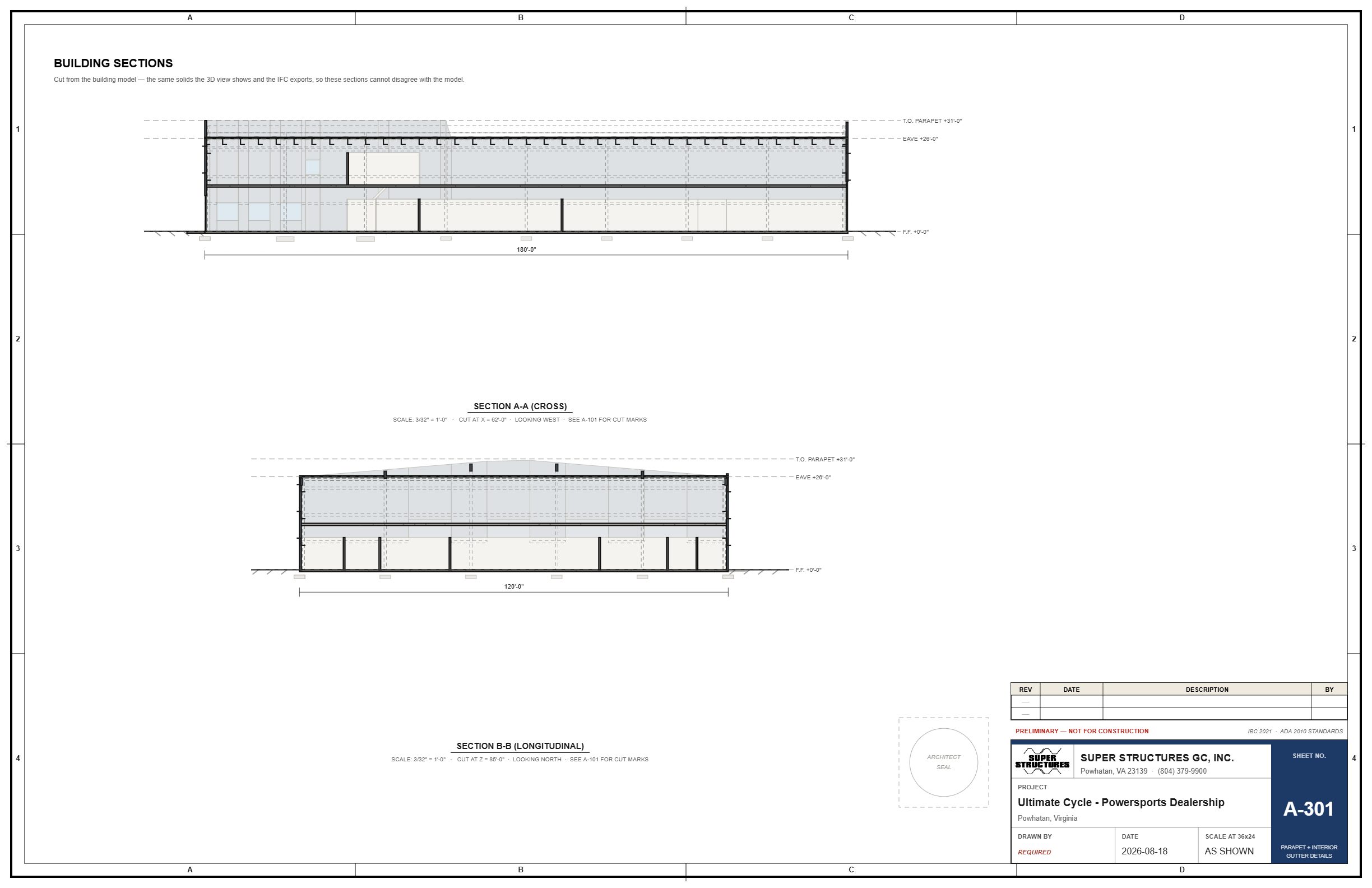
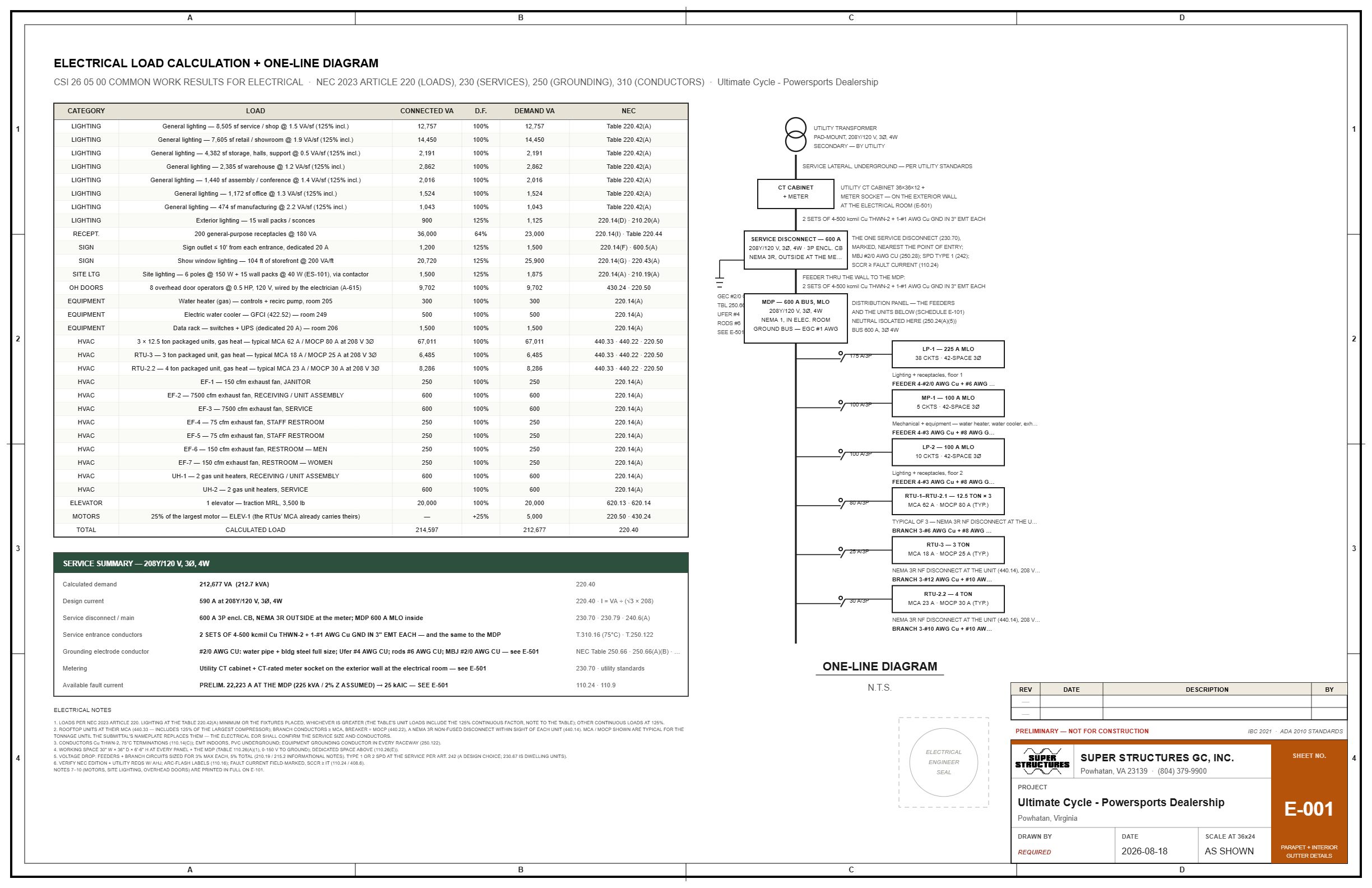
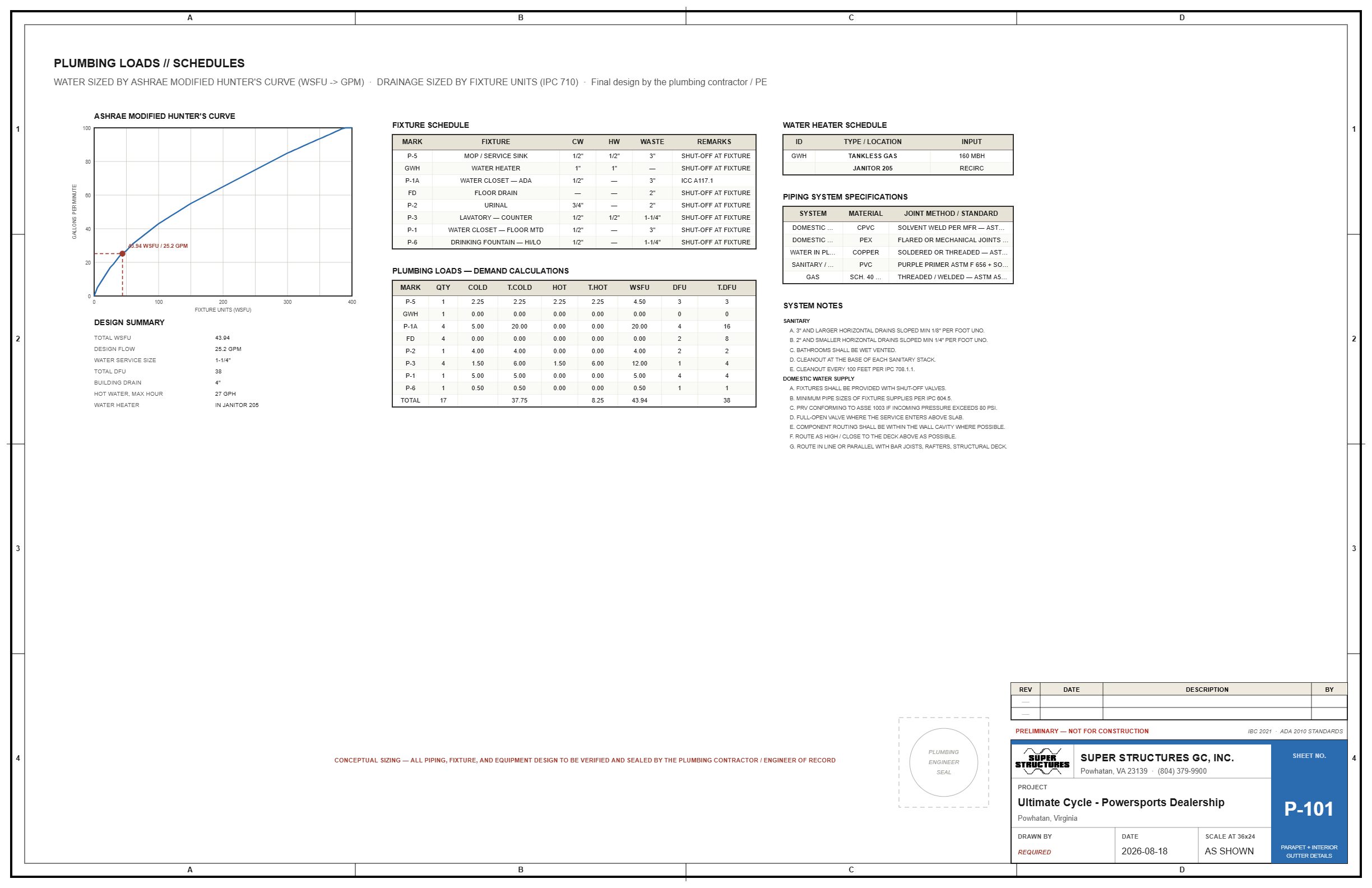
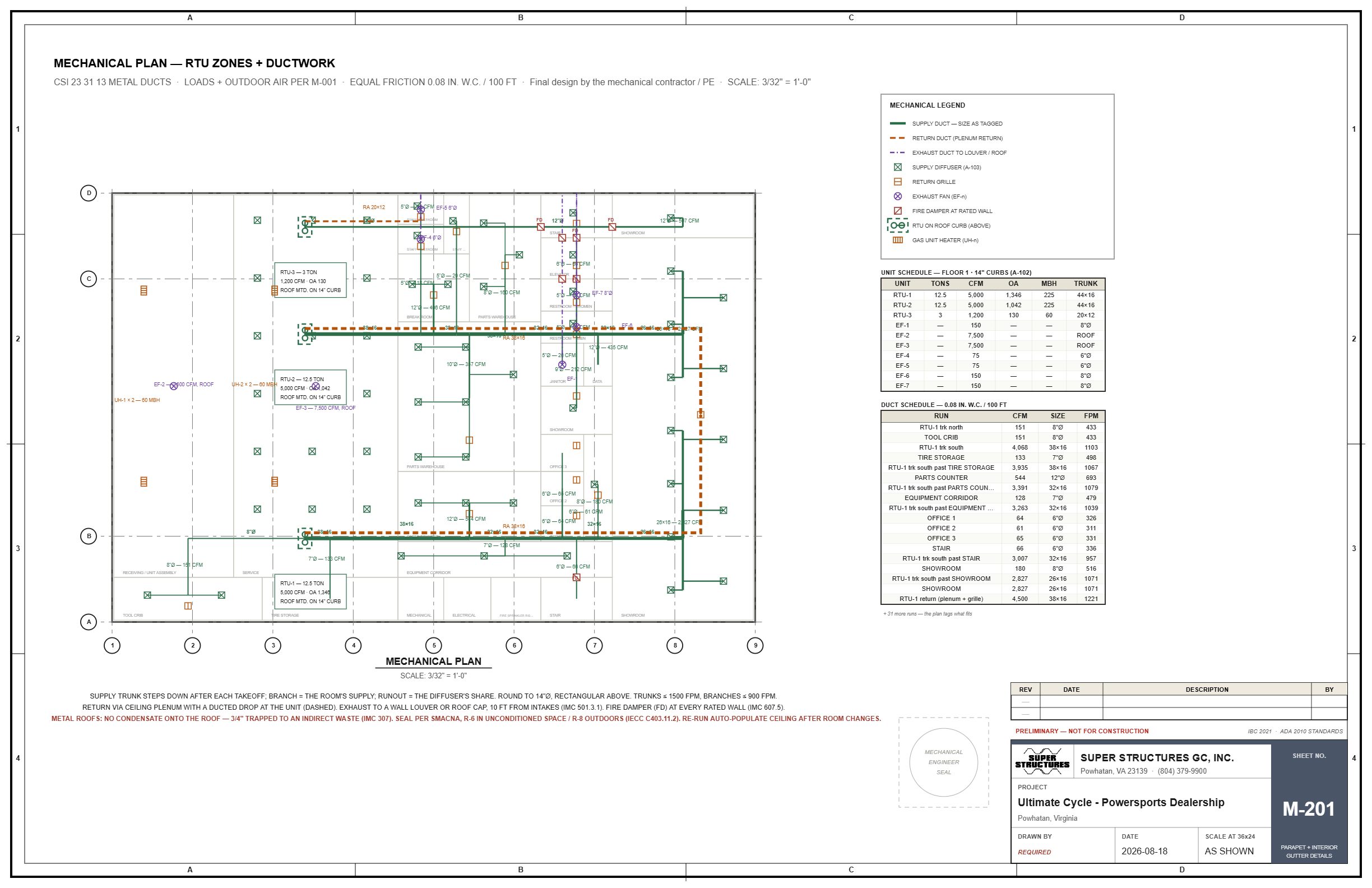
A conversation that reads the plan, looks at the sheets, checks the code and makes the change.
"Move the break room to the north wall." "Make the service 600 amps." "Add a second roll-up door on the east side." "What does the energy code want for the walls?"
A one-page review of what moved, what it touched, and what it checked, before anything is kept. You approve it or say no.
Use your own AI provider key, or buy prepaid credits inside the program. The subscription never carries an AI bill.
Create an account and keep one project free on the beta. Or ask for a walkthrough on one of your real jobs.